The research shortlist
Page updated
BurrowTop pick
Free open-source native Mac cleaner and system companion
Metadata checked Aug 18, 2026
Best GUI match: broad CleanMyMac-like coverage, a native macOS interface, and current signed/notarized releases. Its long-term track record is shorter than Mole's.
A native SwiftUI menu-bar app covering previewable junk cleanup, developer-artifact purging, app removal with leftovers, disk maps, maintenance tasks, and live system monitoring.
- 01Preview and remove caches, logs, leftovers, and developer artifacts
- 02Uninstall apps with preferences, support files, and launch agents
- 03Disk treemap, duplicate discovery, and installer cleanup
- 04Maintenance actions and Homebrew update management
- 05Live CPU, memory, GPU, disk, network, battery, and history views
- Requires macOS 14 or later.
- Some scans and cleanup actions need Full Disk Access or administrator approval.
- The app sends opt-out anonymous usage and crash diagnostics; its telemetry is documented in the repository.
Evidence sources (11)
- Burrow official GitHub repositorySource available ·
- Burrow MIT licenseLicense ·
- Burrow official homepageWebsite ↗ ·
- Burrow macOS requirementsDocumented macOS path ·
- Burrow 0.11.1 release and macOS downloadFree at review time ·
- GitHub repository metadataSource available ·
- GitHub REST repository APISource available ·
- GitHub license metadataLicense ·
- Latest GitHub releaseRelease ·
- Project homepageWebsite ↗ ·
- GitHub REST repository APISource available ·
Mole
Free open-source all-in-one Mac maintenance toolkit
Metadata checked Aug 18, 2026
Strongest maintenance and community signal with the broadest free feature set, but the qualifying product is terminal-first. The author's native GUI is a separate paid application.
Full review — capabilities, 3 caveats, evidence
A mature GPL-3.0 terminal toolkit for deep cleanup, app removal, disk analysis, optimization, project-artifact purging, installer cleanup, and live system status.
- 01Clean caches, logs, orphaned app data, and temporary artifacts
- 02Uninstall apps with launch agents, preferences, and hidden remnants
- 03Analyze disk usage and remove large installer files
- 04Optimize caches and system services
- 05Monitor CPU, GPU, memory, disk, network, and battery status
- 06Dry-run previews, whitelists, and local cleanup history
- The free open-source core is the CLI; the native GUI at mole.fit is proprietary and paid.
- Some cleanup commands can permanently remove selected artifacts, so review dry-run output and whitelists.
- Homebrew installation is documented for macOS 14 or later; older versions use a best-effort script installer.
Evidence sources (9)
- Mole official GitHub repositorySource available ·
- Mole GPL-3.0 licenseLicense ·
- Mole official homepageWebsite ↗ ·
- Mole macOS installation and commandsDocumented macOS path ·
- Mole GitHub releasesRelease ·
- GitHub REST repository APISource available ·
- GitHub license metadataLicense ·
- Latest GitHub releaseRelease ·
- Latest macOS release assetFree at review time ·
Krokiet
Open-source cross-platform GUI for finding reclaimable files
Metadata checked Aug 18, 2026
Best focused storage-cleanup companion: active Krokiet development, mature algorithms, free binaries, and explicit macOS support. It is narrower than CleanMyMac and does not manage apps or system performance.
Full review — capabilities, 4 caveats, evidence
The actively developed GUI frontend of Czkawka, using a Rust scanning engine to find duplicates, large or empty files, temporary data, similar media, and other file problems on macOS.
- 01Find duplicate files by name, size, or hash
- 02Find large, empty, temporary, broken, and incorrectly named files
- 03Compare similar images, videos, and music
- 04Detect invalid symbolic links and file extensions
- 05Remove selected files and clean EXIF metadata
- 06Prebuilt macOS binaries for Apple Silicon and Intel
- No app uninstaller, malware scanner, or general system-optimization suite.
- Optional similar-video and extra image-format features need tools such as ffmpeg and native libraries.
- The legacy Czkawka GTK frontend is deprecated; use Krokiet, the current recommended GUI.
- The project states that it has no separate official website; GitHub is the official project home.
Evidence sources (13)
- Czkawka/Krokiet official GitHub repositorySource available ·
- Krokiet source and installation READMESource available ·
- Krokiet GPL-3.0 application licenseLicense ·
- Krokiet/Czkawka 12.0.0 releaseRelease ·
- Czkawka README: free and open-source projectFree at review time ·
- GitHub REST repository APISource available ·
- Latest GitHub releaseRelease ·
- Latest macOS release assetFree at review time ·
- Repository commit history; latest push activitySource available ·
- Official tags; latest stable version and tag dateSource available ·
- Krokiet installation instructions with macOS support and prebuilt binariesDocumented macOS path ·
- Krokiet macOS Apple Silicon release binaryFree at review time ·
- Project-owned Krokiet logo SVGScreenshots ·
Specifications, side by side
| Attribute | 1 · Burrow | 2 · Mole | 3 · Krokiet |
|---|---|---|---|
| License | MIT | GPL-3.0-only | GPL-3.0-only |
| Platforms | macOS | macOS | macOS, Windows, Linux |
| Status | Checked | Checked | Checked |
| Version | v0.14.0 | V1.51.0 | v12.0.1 |
| Stars | 1.3k | 64.1k | 32.8k |
| Last push | |||
| Caveats | 3 | 3 | 4 |
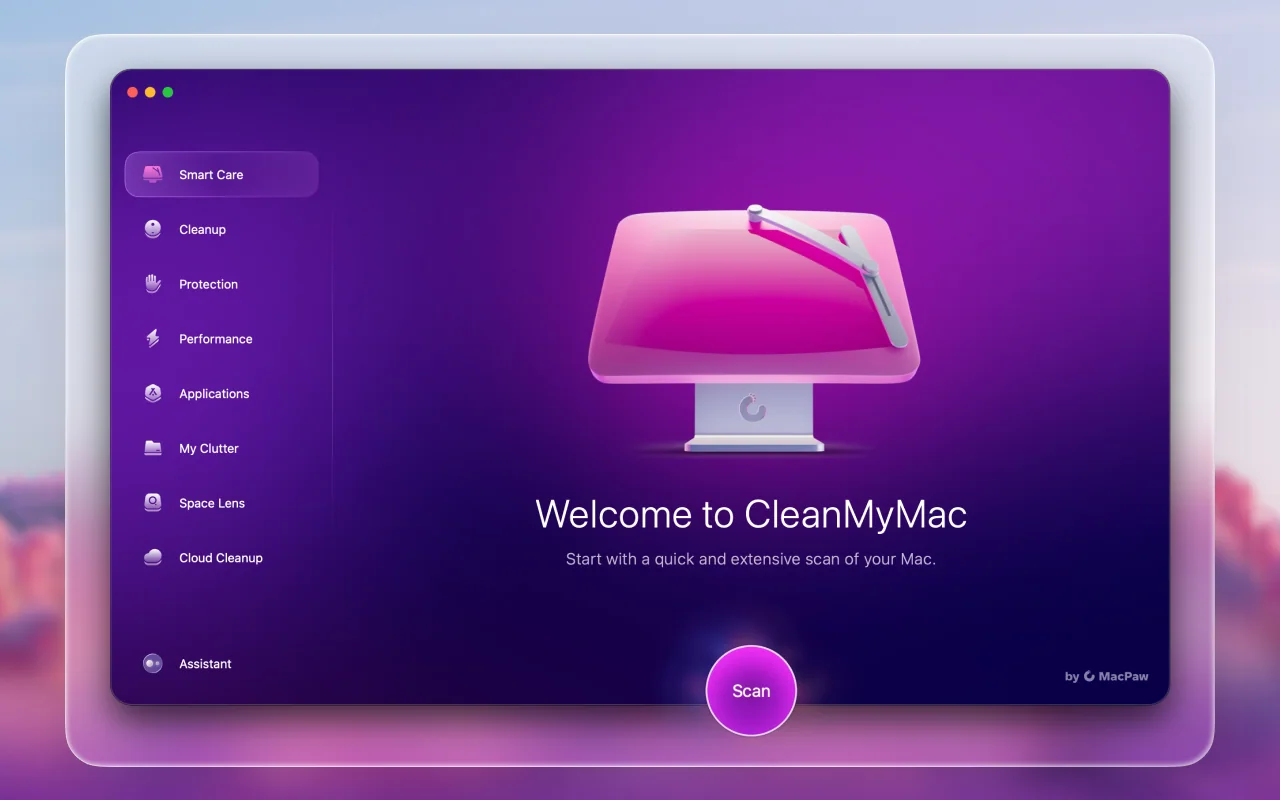
About CleanMyMac
CleanMyMac — Clean, optimize, and secure your Mac. Speed up your device and free up space with ease.
Setapp listing: Tidy up your Mac