The research shortlist
Page updated
OnlySwitchTop pick
All-in-one macOS menu-bar switches
Metadata checked Aug 18, 2026
Best overall replacement: it mirrors One Switch’s multi-toggle concept most closely, has a current July 2026 release, and offers direct Homebrew/DMG installation under an MIT license.
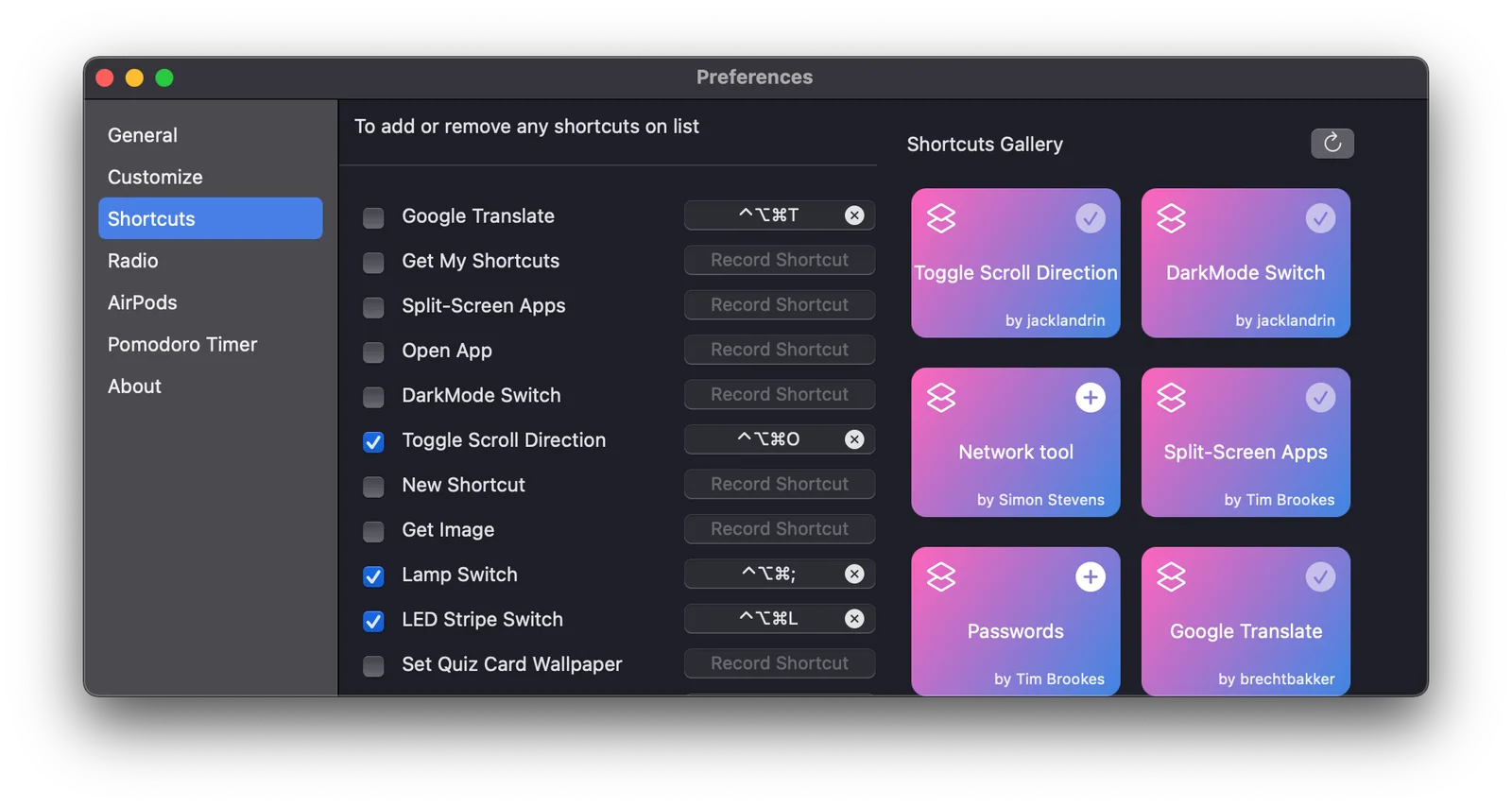
A close functional match that gathers many system actions into a customizable status-bar panel, with keyboard shortcuts, widgets, imported Shortcuts, and user-defined script switches.
- 01Native switches for dark mode, desktop icons, hidden files, Night Shift, screen saver, AirPods/Bluetooth, keep-awake, Dock/menu-bar visibility, mute, and display dimming.
- 02Customizable switch order and availability, plus Apple Shortcuts import and Shell/AppleScript extensions.
- 03Apple Widgets and keyboard control for quick access outside the main panel.
- Some switches are marked partly finished or require administrator access.
- Several features are OS-specific; Evolution requires macOS 13 or later and Only Agent requires macOS 26 or later.
- Versions 2.5.6 and earlier require manual updating or Homebrew according to the README.

Evidence sources (13)
- Official OnlySwitch repositorySource available ·
- OnlySwitch commit historySource available ·
- OnlySwitch MIT license fileLicense ·
- OnlySwitch 2.7.2 releaseRelease ·
- Official OnlySwitch DMG downloadFree at review time ·
- OnlySwitch official homepageWebsite ↗ ·
- OnlySwitch macOS installation and feature documentationDocumented macOS path ·
- OnlySwitch project iconScreenshots ·
- OnlySwitch status-bar panel screenshotScreenshots ·
- GitHub REST repository APISource available ·
- GitHub license metadataLicense ·
- Latest macOS release assetFree at review time ·
- screenshot asset fetched by the local materializerScreenshots ·

Vorssaint
Modular all-in-one macOS menu-bar toolkit
Metadata checked Aug 18, 2026
Strongest power-user alternative: it covers the same quick-action surface while adding a modular toolkit and a rapid August 2026 release cadence; it is the best fit when broader tooling is welcome.
Full review — capabilities, 3 caveats, evidence
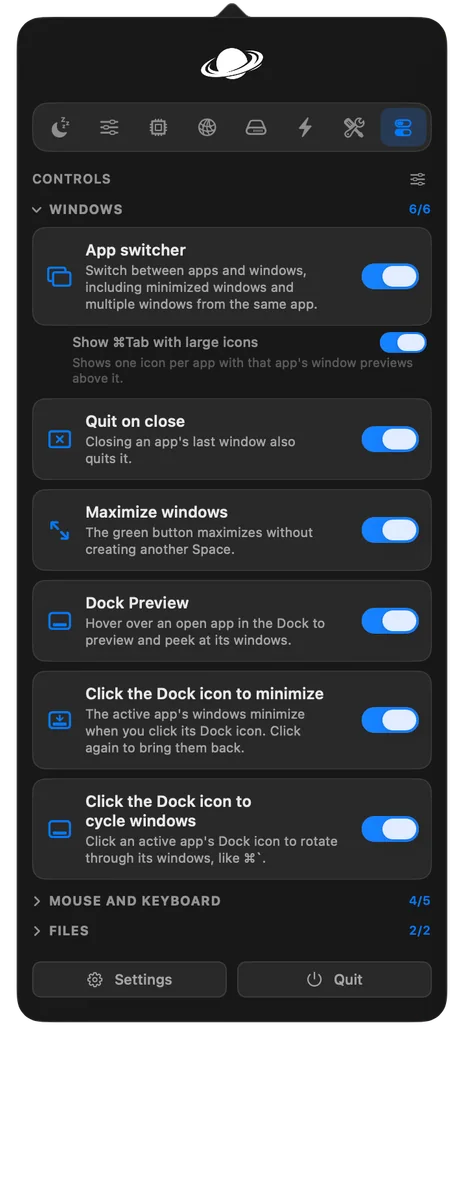
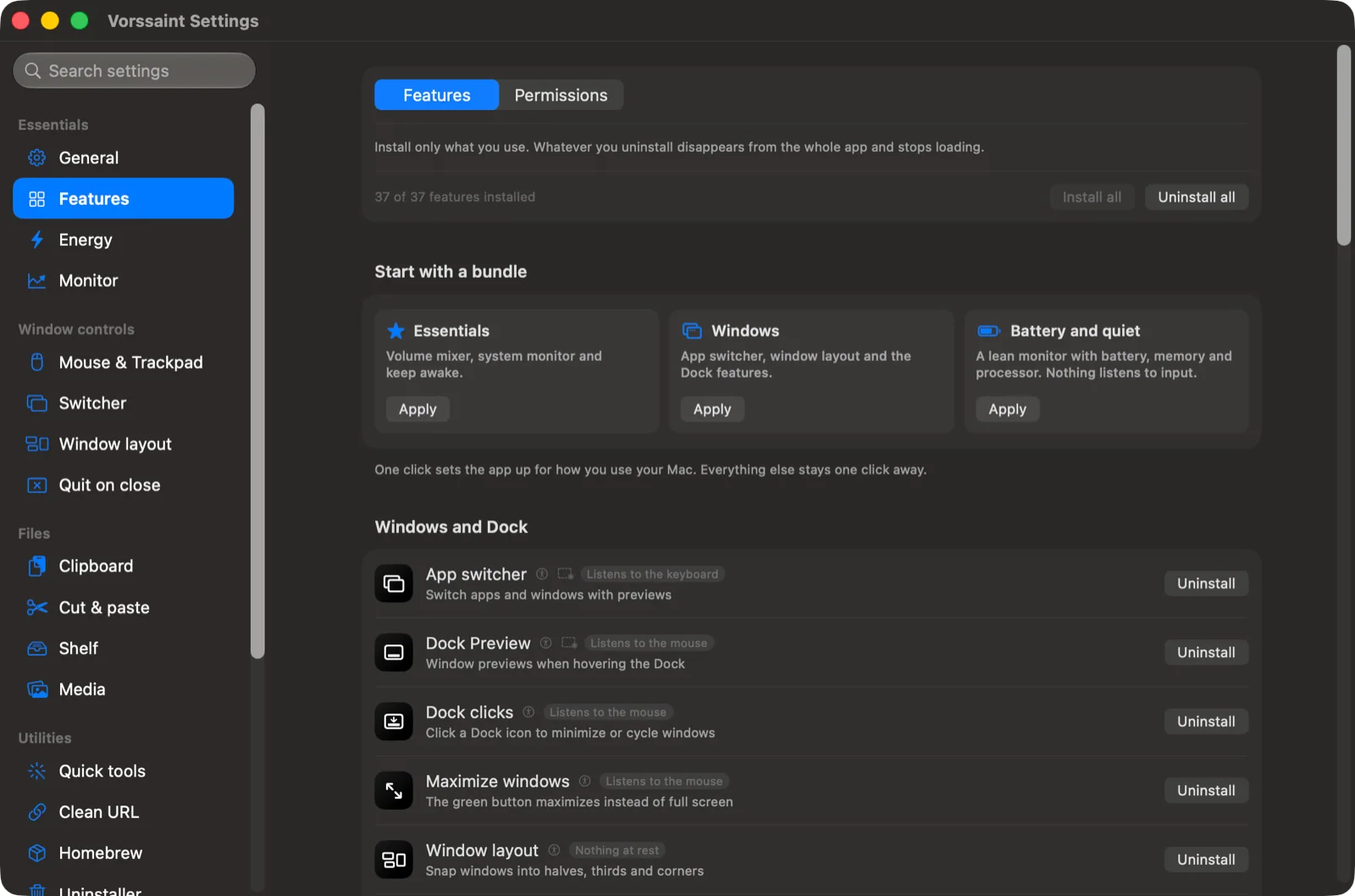
A broad local-first toolbox with One Switch-like quick controls plus keep-awake, display, audio, monitoring, window, capture, cleanup, and automation features; unused modules can be removed.
- 01Quick toggles for dark mode, microphone mute, hidden files, desktop icons, screen lock, display off, screen saver, Trash, and disk eject.
- 02Keep-awake timers, lid-closed mode, display controls, and volume/output routing.
- 03Install only selected modules; no account, telemetry, or subscription, with GPL-licensed source.
- Requires macOS 14 or later on Apple Silicon.
- Optional permissions are needed for advanced modules such as window previews, audio routing, capture, and deeper cleanup.
- The source is GPL-3.0-or-later, and the project keeps its name, logo, and visual identity under separate trademark terms.
Evidence sources (14)
- Official Vorssaint repositorySource available ·
- Vorssaint commit historySource available ·
- Vorssaint GPL-3.0-or-later license fileLicense ·
- Vorssaint 3.3.1 releaseRelease ·
- Official Vorssaint macOS releasesFree at review time ·
- Vorssaint official homepageWebsite ↗ ·
- Vorssaint macOS 14+ Apple Silicon documentationDocumented macOS path ·
- Vorssaint free availability and installationFree at review time ·
- Vorssaint project logoScreenshots ·
- Vorssaint controls screenshotScreenshots ·
- GitHub REST repository APISource available ·
- GitHub license metadataLicense ·
- Latest macOS release assetFree at review time ·
- screenshot asset fetched by the local materializerScreenshots ·
KeepingYouAwake
Keep your Mac awake from the menu bar
Metadata checked Aug 18, 2026
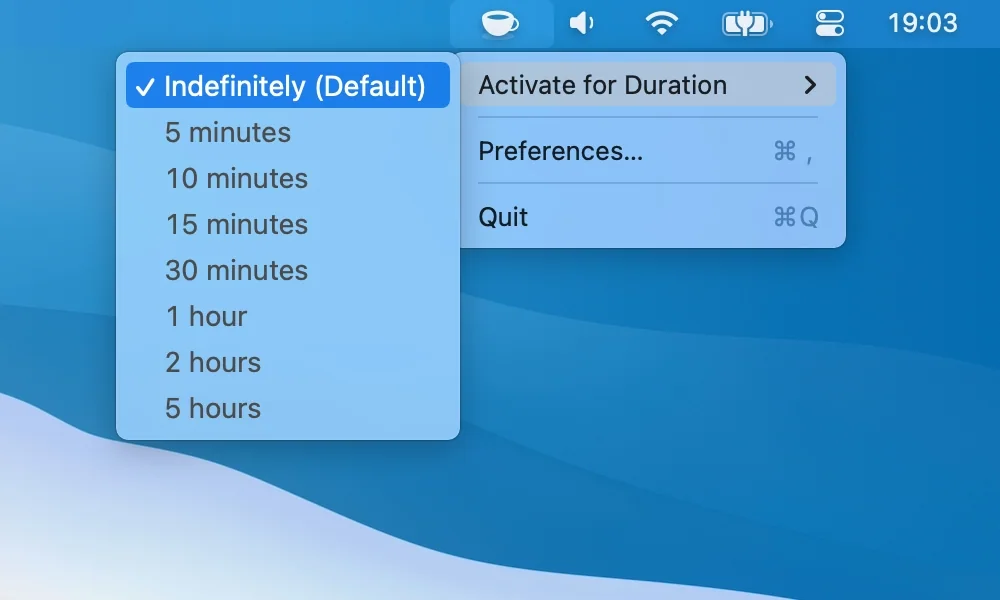
Best focused substitute for One Switch’s keep-awake function: a long-running MIT project with 2026 maintenance commits, a substantial release history, and very low setup overhead.
Full review — capabilities, 3 caveats, evidence
A focused native menu-bar utility for one-click or timed sleep prevention, built around Apple’s caffeinate utility and maintained with current macOS compatibility work.
- 01One-click indefinite or timed keep-awake sessions.
- 02Optional low-battery cutoff and support for Retina displays and Dark Mode.
- 03Homebrew cask or direct GitHub release installation for macOS 10.13 and newer.
- It intentionally covers sleep prevention rather than One Switch’s dark-mode, AirPods, desktop, display, or notification controls.
- Closed-lid sleep prevention is limited by macOS; the project documents that portable Macs need the lid open.
- The latest stable release is 1.6.8, so future work may remain compatibility-focused rather than expanding the feature set.
Evidence sources (11)
- Official KeepingYouAwake repositorySource available ·
- KeepingYouAwake commit historySource available ·
- KeepingYouAwake MIT license fileLicense ·
- KeepingYouAwake 1.6.8 releaseRelease ·
- Official KeepingYouAwake downloadsFree at review time ·
- KeepingYouAwake official homepageWebsite ↗ ·
- KeepingYouAwake macOS 10.13+ documentationDocumented macOS path ·
- KeepingYouAwake product screenshotScreenshots ·
- GitHub REST repository APISource available ·
- GitHub license metadataLicense ·
- KeepingYouAwake 1.6.8 downloadFree at review time ·
Specifications, side by side
| Attribute | 1 · OnlySwitch | 2 · Vorssaint | 3 · KeepingYouAwake |
|---|---|---|---|
| License | MIT | GPL-3.0-only | MIT |
| Platforms | macOS | macOS | macOS |
| Status | Checked | Checked | Checked |
| Version | vrelease_2.7.2 | v3.3.1 | v1.6.8 |
| Stars | 5.9k | 5.5k | 6.8k |
| Last push | |||
| Caveats | 3 | 3 | 3 |
About One Switch
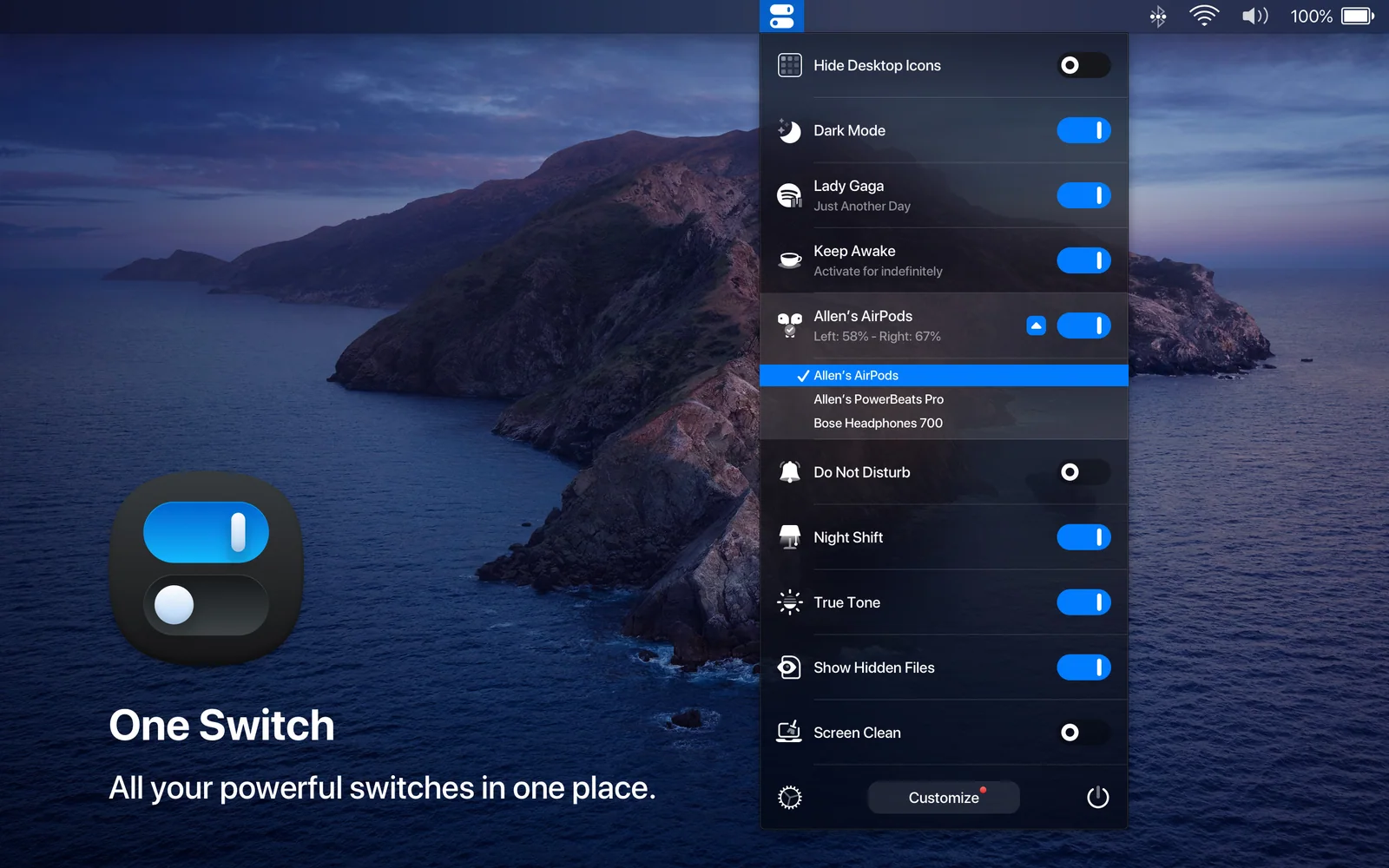
One Switch — Menu bar app for Mac. Toggle system settings quickly without digging through preferences.
Setapp listing: Access macOS features fast